The needs for integrations with other systems (such as heat pumps, smart lighting, charging stations and sound systems) are growing, as is the need for clear operation via smartphone and tablet. Thanks to our new Velbus Signum platform (based on Home Assistant) on the IoT gateway, this is no longer a dream.
Since October 2023, we started the gradual rollout of this new software on existing Velbus installations with a Signum. This migration is free of charge but does require completing a short wizard. After this, your Velbus installation is displayed in a modern and simple way. Afterwards, integrations with more than 2,500 systems are possible via the Home Assistant integrations.
In this blogpost we guide you through the exciting features of the new Velbus Signum platform and how to set up your Velbus installation with it.
Velbus Signum (based on Home Assistant) Features
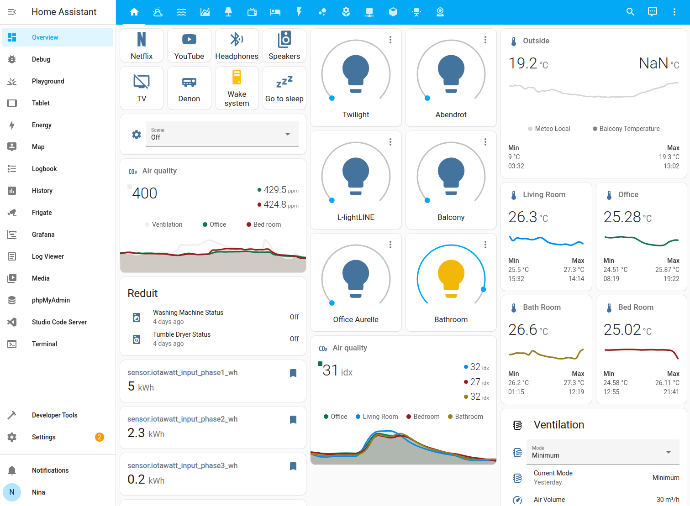
Stylish and easy to use dashboards for your Velbus installation
Home Assistant shows you your Velbus installation in a easy and clean overview, grouping your controls in their corresponding room. Controlling devices, light points, LED strips, thermostats, blinds, etc. is a breeze with the touch-to-change interface. It doesn't matter if you use your smartphone, tablet or smartphone, it always looks good!
Visualize your energy use
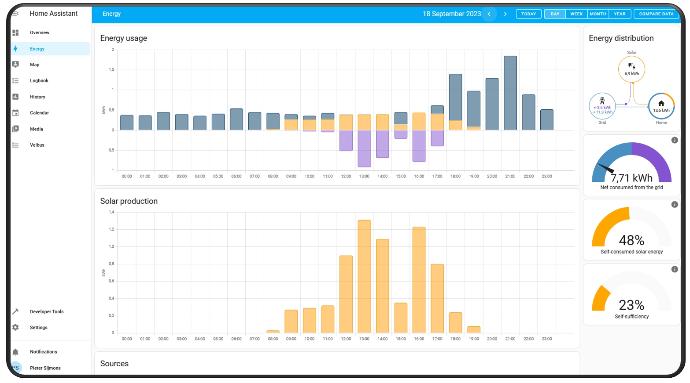
If you have an energy meter in your Velbus installation, comprehensive energy dashboards are a must have in your Home Assistant setup. Have a look at detailed graphs to better understand your energy consumption and use it to optimize your lifestyle and energy bill!
Link your smart devices with Velbus
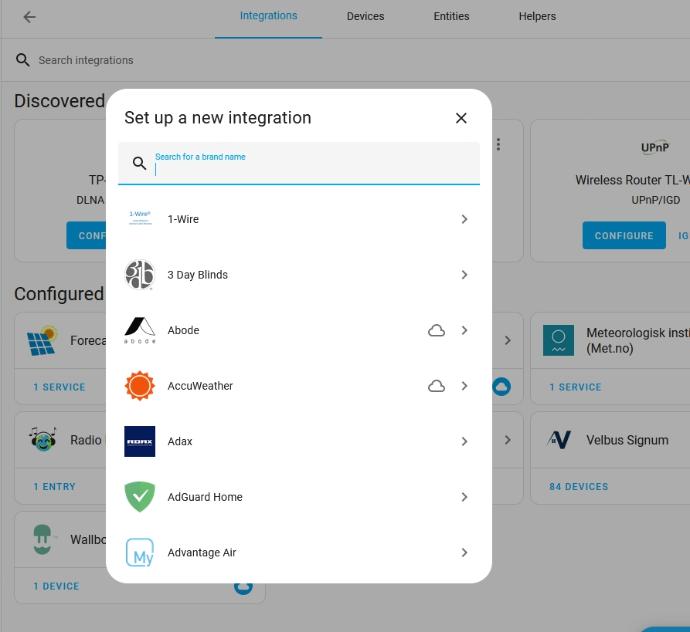
Home Assistant will be your central hub to link all your smart devices in your home. Via integrations, you can link with over 2.500 smart systems, enriching your dashboards with their data and creating smart actions between devices that couldn't talk to each other before.
Your heating pump (MELcloud, Daikin, Viessmann ViCare), charging station for your EV (wallbox, Smappee), sound system (Sonos, Spotify, Bose SoundTouch,
IKEA SYMFONISK
), smart lighting (Philips Hue, IKEA TRÅDFRI), smart plugs (Tuya, Shelly) are just a few examples of integrations that are possible.
Create smart automation actions
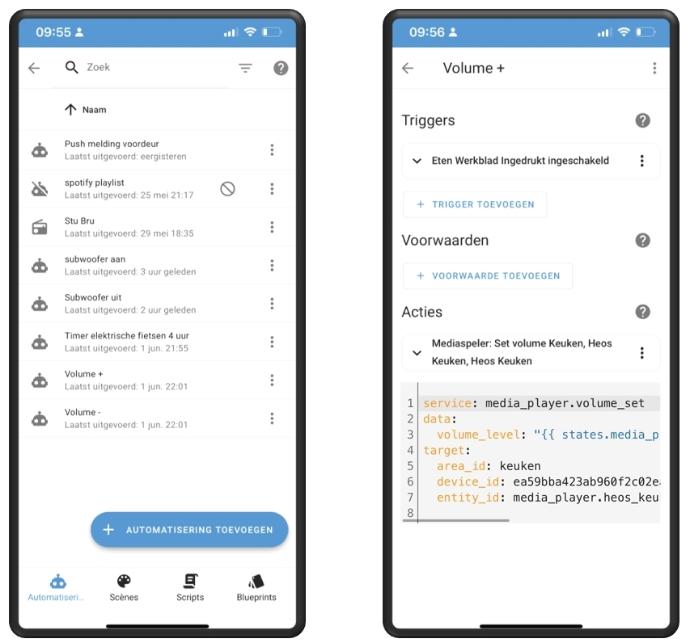
With Home Assistant you can link physical buttons in your Velbus link installation to trigger actions with other integrations.
For example, if you have favourite radio stations that you want to listen to without reaching for your phone, that's a few automation clicks away!
First, create the buttons with their names in your Velbus control panel and then use automation on that button to select an online radio station, playing it on your connected smart speaker (e.a. a Sonos wireless speaker).
One place to control your sound
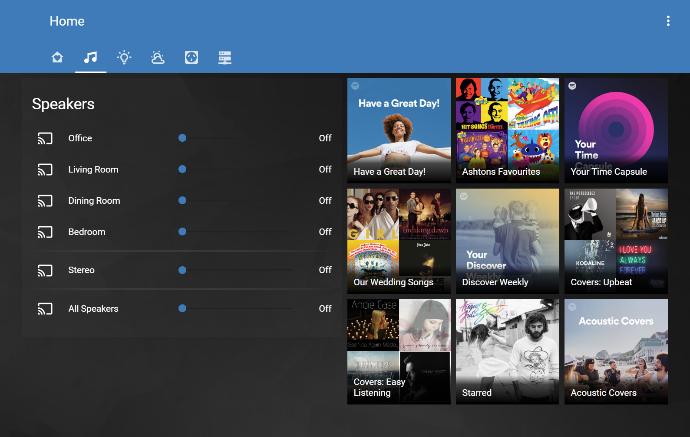
One you have linked your smart speakers and your Spotify account, you can use Velbus to control your playlists! Create next track, previous track, volume+, volume-, play/pauze buttons on your Velbus control panels and link them via automation actions together. Finally one place to control your home's music entertainment.
See what happens and what happened
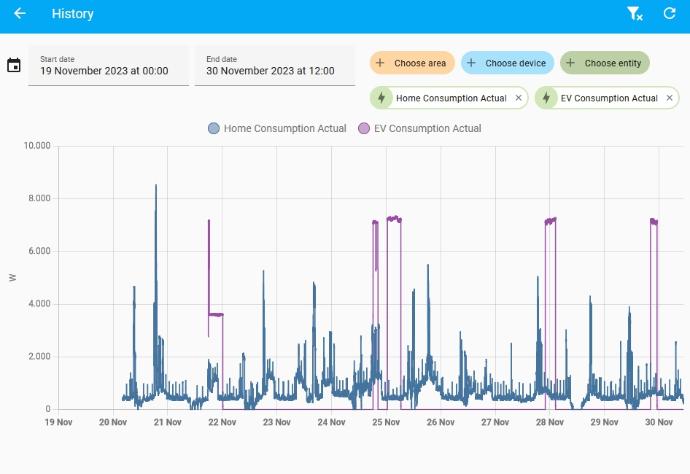
Thanks to the local data capture of home assistant, you can go back in time by looking at your home's history reports. Never miss an event that happened or when a certain button was pressed. Offering comprehensive hourly, daily, monthly and yearly overviews, you can analyze your behavior and automate actions to elevate your smart home.
Easy user control
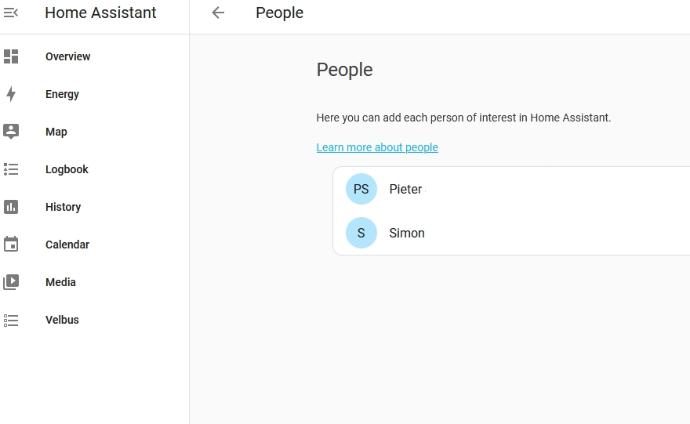
Add users and give them access to selected dashboards, making sure your family can use your smart home installation like you want it.
Each user can create their own experience, making sure the remote control of your home is tailored to your needs.
Step-by-step setup guide
There are two ways to get the new Velbus Signum platform (based on Home Assistant) on your Signum IoT gateway: start with a 'fresh' Signum, strait out of the box OR migrate your current Signum with OpenHAB to Home Assistant.
Warning: you will need physical access to your Signum and be connected via a local network connection. Upgrading your Signum via cloud connection is not possible.
New installation ('fresh' out of the box Signum)
First, make sure your Velbus installation has been fully configured via our Velbuslink Software and you have given every button and relay channel a proper name. This will make your dashboards in Home Assistant instantly ready to be used.
Navigate to your Signum by following the 'Go to Signum' button in the Velbuslink Software or by navigating directly to your Signum IP address in your favorite browser. Make sure the Signum has a stable internet connection!
During the Quickstart, you will be notified that an update is available for your Signum:
If you start the Home Assistant Upgrade, you will be redirected to the migration page:
You will need to physically press the RMT button on the Signum. Carefully remove the cover with a flat screwdriver from your Signum module and press the RMT button briefly (1/2 second).


After pressing the RMT button, you can refresh the current webpage by pressing F5. You can now follow the on-boarding wizard to launch your Signum with Home Assistant.
Migrate your current Signum with OpenHAB to Home Assistant
If you go towards your Signum settings menu (Advanced/Status), you will notice an upgrade to Home Assistant is ready:

If you start the Home Assistant Upgrade, you will be redirected to the migration page.
You will need to physically press the RMT button on the Signum.
Carefully remove the cover with a flat screwdriver from your Signum
module and press the RMT button briefly (1/2 second).
After pressing the RMT button and refreshing the page (press F5 in your browser), you will be directed towards the migration stages. Press the OK button to start the migration.

It will take you about 20-30 minutes to migrate your installation.
When the counter reaches zero, you will be redirected to the on-boarding page.
Please follow the on-boarding wizard to launch your Signum with Home Assistant.
Frequently Asked Questions
You can identify your installed platform by checking the interface layout and labels & how Velbus appears in the system:
Home Assistant
- Look for "Home Assistant" in the hamburger menu (☰) at the top-left corner.
- Navigation tabs are located on the left side of the screen.
- Velbus devices appear as entities in the "Entities" tab.
- Configuration is done via Configuration > Integrations > Velbus.
OpenHAB
- No mention of "Home Assistant" in the menu.
- Navigation tabs are displayed as icons at the bottom of the screen.
- Velbus devices are managed under "Things" in the Settings menu.
- Uses "Bindings" (e.g., Velbus Binding) for setup instead of "Integrations."
No, never! With Velbus we believe that the cost of your home automation should be transparent with no monthly or yearly subscriptions. With Velbus, you pay for your hardware and never for software. Excising users of our IoT gateway Signum get free updates, forever.
Access to your home installation from anywhere in the world is free via the Velbus cloud (included with your Signum). Your mobile data provider will charge you for your data use, but Velbus won't charge you.
With Velbus we strive to provide you with a reliable system that also offers flexibility to integrate with other systems. The balance between reliability and flexibility is not an easy one to maintain.
The software running on the Signum is based on the open-source Home Assistant project, but is configured by Velbus as a controlled environment where certain functions are not enabled to ensure stability and full Velbus support. Velbus integration works seamlessly within this setup, as do multiple integrations with third-party systems.
Changing the configuration.yaml or using integrations that require modifying configuration files is only allowed in 'Advanced Mode'. You can enable this in the settings, which provides full access to all Home Assistant functionality, but voids the Velbus warranty. This option can be disabled at any time to restore the Velbus warranty.
Regardless of the Advanced Mode, voice commands via Google Assistant and Amazon Alexa are currently not supported due to security considerations. This will be addressed in the future.
If you prefer full control, you can install Home Assistant on your own mini computer. In that case, native Velbus integration is not included, but a community-developed Velbus integration (not managed by Velbus) can be used. While we cannot support this setup, some advanced users do use this approach.
Note: The Signum platform is developed and maintained by Velbus and is based on the open-source Home Assistant project. It is not an official Home Assistant distribution and is not endorsed or supported by the Open Home Foundation.
Updates to your Signum are pushed every night from our servers. Please make sure your Signum has a stable internet connection and check back the next morning. If you still don't see an upgrade for your Signum, contact us via help.velbus.eu and provide your Signum ID number so we can help you further.
Currently we are providing the upgrade to Home Assistant as an option. If you like to stay with your current OpenHAB version, that's possibly by ignoring the upgrade. However, support for OpenHAB on the Signum will end by march 2025. After that date the upgrade will be mandatory.